 KidCue
Morning routine chart for kids
Make mornings clearer before you make them stricter.
Show the next step instead of repeating it. Start with a free picture chart, or build a familiar morning routine in KidCue.
Free in KidCue: 1 child, 3 routines, unlimited steps. iPhone & iPad.
Free printable · No account needed
Try a visible morning tomorrow.
Print this chart, cross out steps you do not need, and show it where your child gets ready. Move the order around on paper to fit your family.
My morning routine
Name: __________________
 1.Wake up
 2.Bathroom
 3.Get dressed
 4.Brush teeth
 5.Breakfast
 6.Shoes & backpack
 7.Out the door
Point to the next picture. Check off one step at a time. Tomorrow, start again.
kidcue.app · A starting point, not a race. Adapt the steps to your child.
Prefer your own photos or built-in timers? Recreate this sequence in KidCue. The printable works on its own; the app is optional.
Inside KidCue · Real app screenshots
Keep the next step visible, not just spoken.
Start with the same sequence as your paper chart. Add familiar pictures and an optional timer where your child needs more support.
01
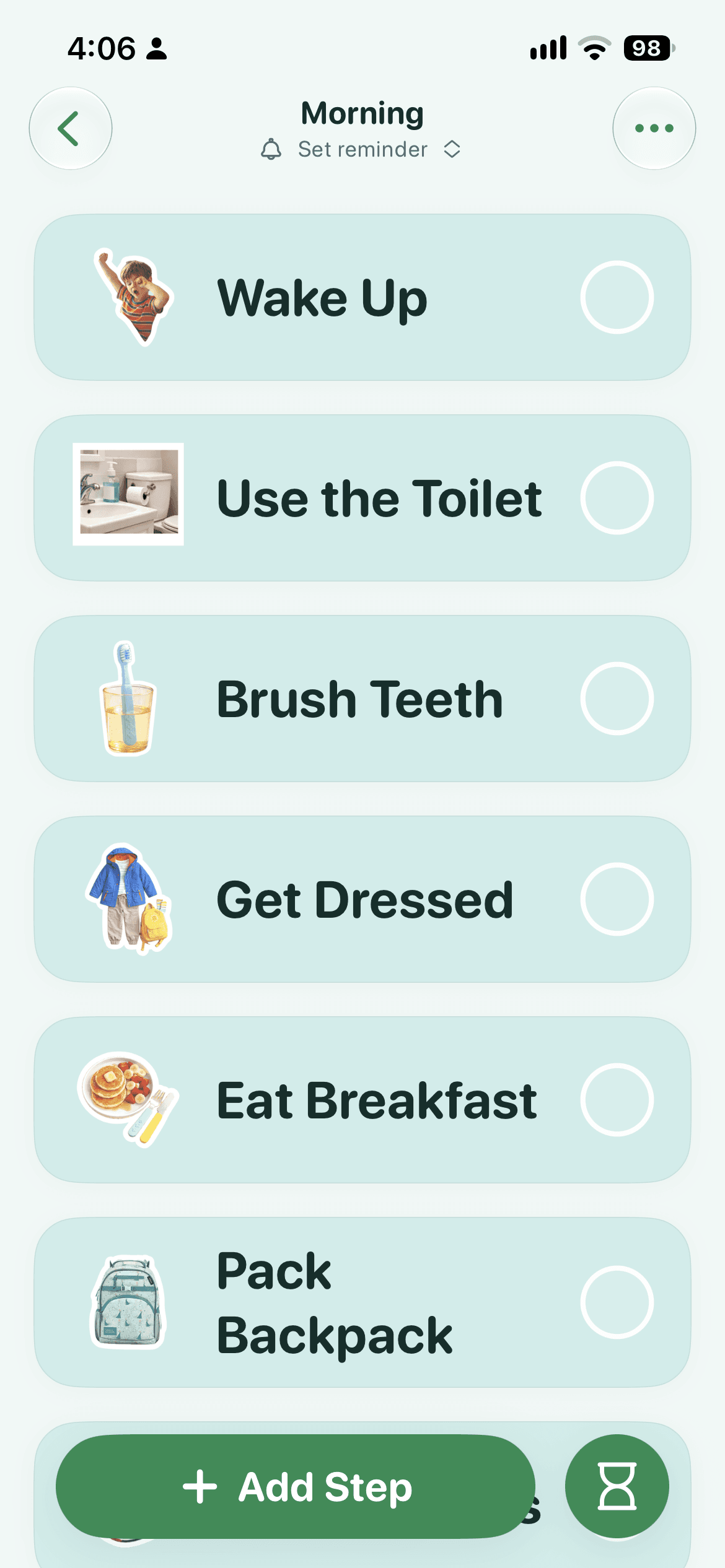
See the morning in order
Picture cues keep waking up, brushing teeth, getting dressed, and breakfast visible in one routine.
02
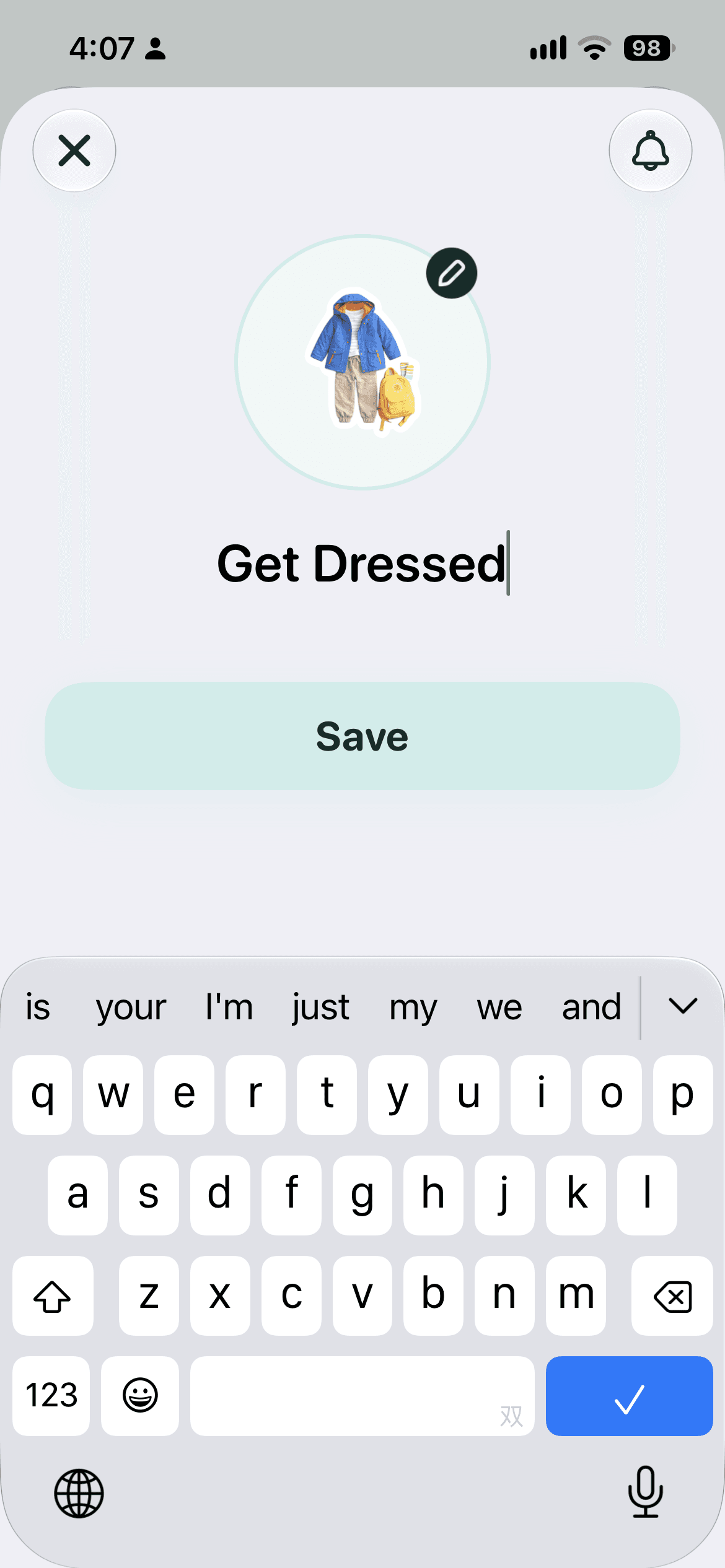
Make each step familiar
Edit the step name and picture so the cue matches what your child needs to do.
03
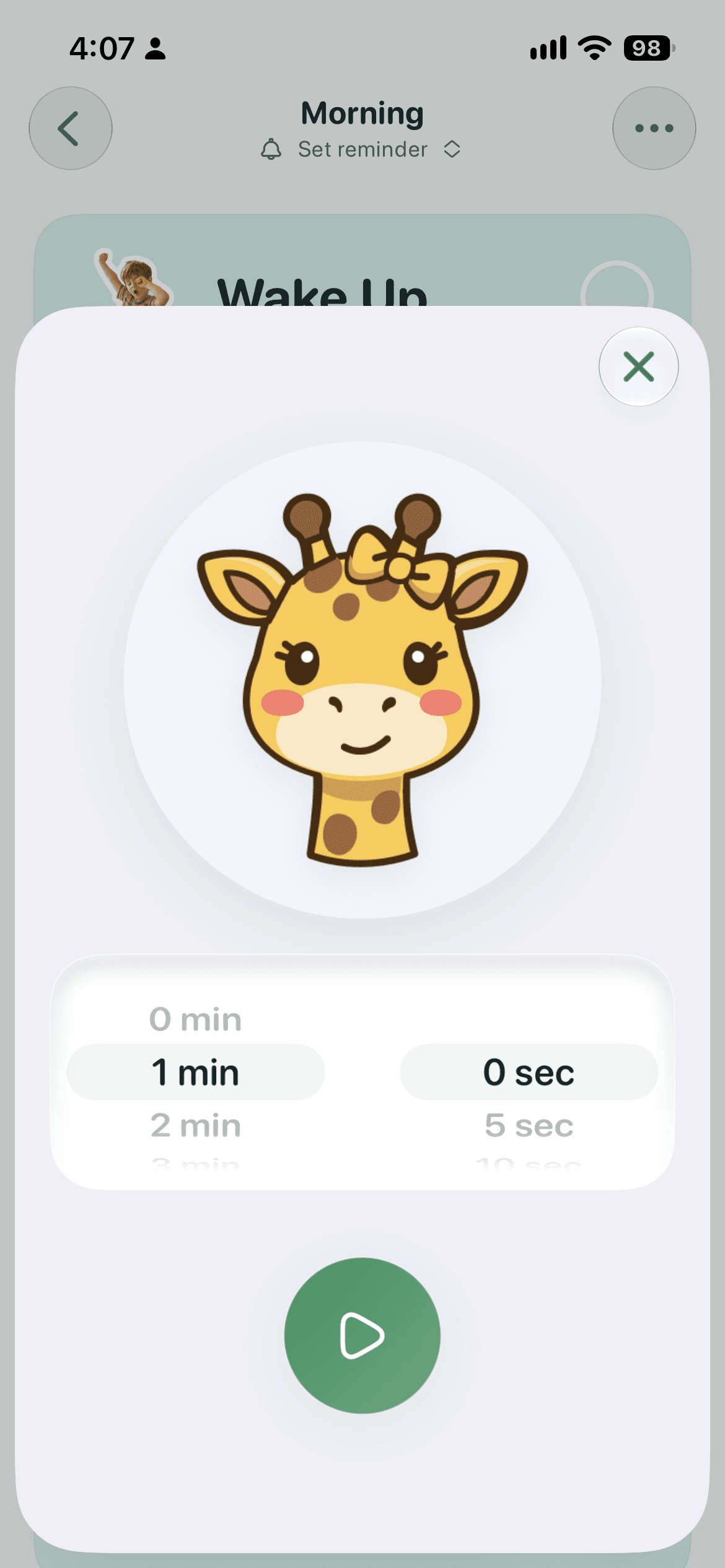
Set a timer when it helps
Choose a duration for a difficult transition. You do not need to time every step.
Try one order for seven mornings
- 1. Tonight: choose the essential steps together and put the chart where they happen.
- 2. Tomorrow: point to the next picture and help as needed. The chart is a cue, not a test.
- 3. Across the week: note where your child needs help. Simplify that step before adding more. Use a timer only if it helps.
Last updated: October 28, 2026
Best companion pages
Good first routines
Start with wake up, get dressed, brush teeth, breakfast, shoes, and backpack. If mornings still drag, split the flow into two shorter chunks.
FAQ
What should go on a morning routine visual schedule?
Keep it short and concrete: wake up, potty, get dressed, brush teeth, eat, shoes, backpack, out the door.
Why do mornings still fall apart when my child knows the steps?
Knowing is different from executing under pressure. A visible routine reduces verbal load and makes the next step easier to follow.
Should I use icons or real photos?
Either works. Start with the format your child responds to fastest and keep it consistent for at least a week.
Do I need a timer too?
Not for every step. The chart shows what comes next. Try a timer only at one difficult transition, and stop using it if it adds pressure.
How many steps is too many?
For most families, 5 to 7 steps is enough. If the routine is long, group steps into short chunks.
Start calmer mornings on iPhone
Start with one morning. Keep the free chart, or add your own photo cues in KidCue.