 KidCue
Visual schedule for kids
A visual schedule for kids that actually works in real family routines.
Parents often get stuck in repeat prompts and transition fights. A visual schedule makes each step visible, so kids know what is now, what is next, and what “done” looks like.
Last updated: June 18, 2026
Quick answer
A visual schedule for kids makes routines easier to follow by showing each step clearly, reducing repeated prompting and transition friction.
See the app
Visual schedules work better when the steps look real.
KidCue lets families build short routines with real photo cues, then reuse the same visible order through mornings, bedtime, screen-off, and leaving-the-house transitions.
- 1Choose one routine and keep the sequence short.
- 2Add child-recognizable photos or icons for each step.
- 3Pair the schedule with a gentle timer for hard endings.
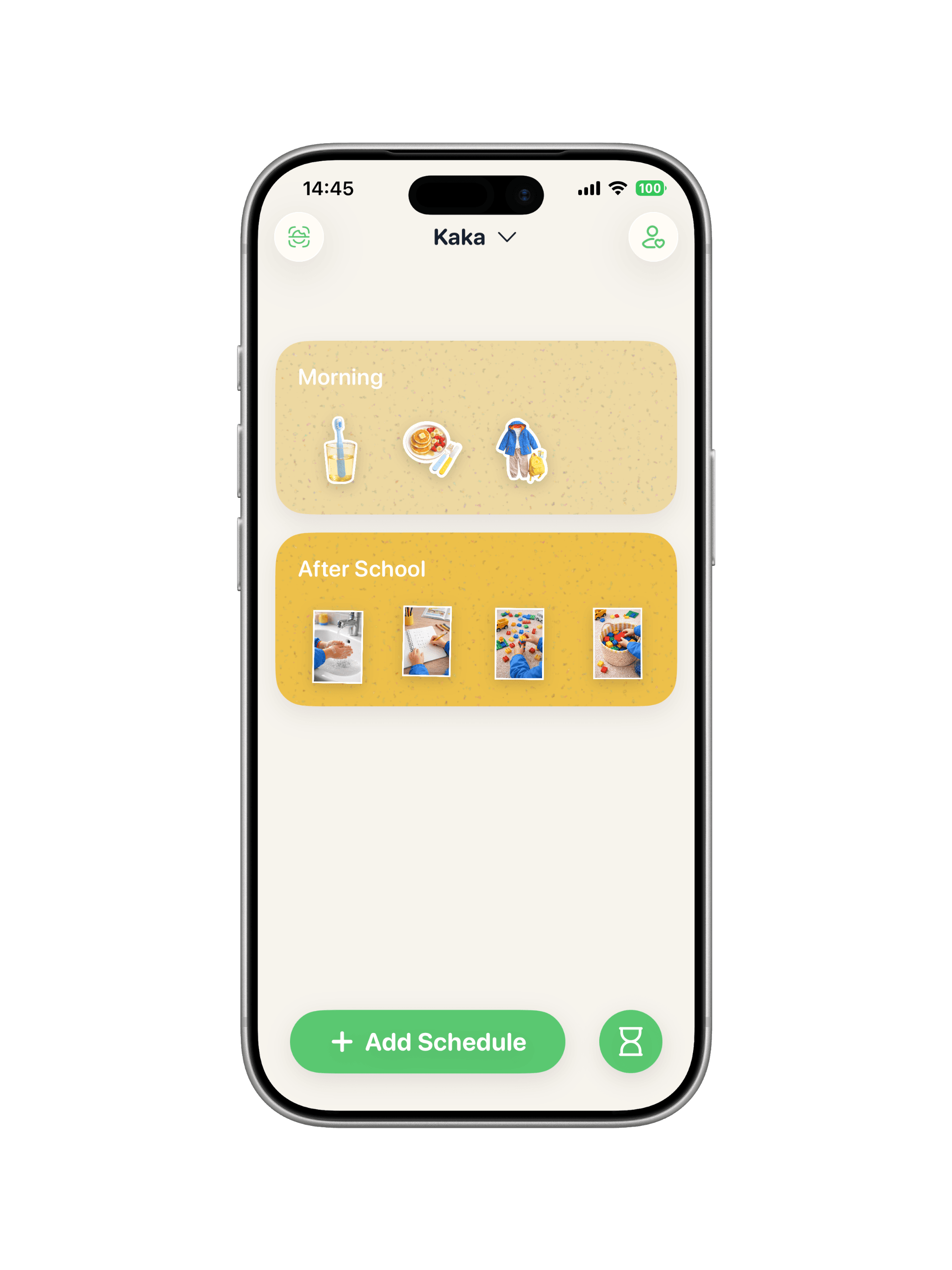
 Real cues
 Photo capture
3-step setup parents can start today
- 1. Pick one routine only (for example: get-ready, screen-off, or bedtime).
- 2. Keep 3-5 short steps, shown with child-recognizable photos or icons.
- 3. Repeat the same order daily for at least 7 days before changing it.
Pair visual schedule + visual timer
The schedule explains sequence. The timer explains ending. This pairing is especially useful for transition-heavy moments where words alone stop working.
See visual timer for transitionsFAQ
What is a visual schedule for kids?
A visual schedule shows now and next steps with pictures and simple timing, so kids can follow routines without constant verbal reminders.
Do visual schedules help kids with ADHD or autism?
Yes. Many families use visual schedules to lower transition stress, reduce repeated prompts, and make routines more predictable.
What routines should I start with first?
Start with one high-friction routine: morning prep, screen-off, homework start, or bedtime wind-down.
How long before we see progress?
Most families see clearer cooperation after a week of using the same order and cues consistently.
Should I use a visual timer too?
Yes. A timer makes the ending visible, while a visual schedule makes the sequence visible. Together they reduce power struggles.
Start calmer routines on iPhone
Opens in the App Store. Works on iPhone and iPad. Start with one routine first.