
By KidCue Editorial Team10 min read
Lil Planner Alternatives: KidCue, Choiceworks, and Joon
A comparison of KidCue, Choiceworks, and Joon as Lil Planner alternatives, with current App Store ratings, user reviews, prices, and links.
Lil Planner is a visual schedule app for kids, built around picture cards, check-offs, and a reward system. This guide compares three alternatives for families who want a different mix of features, and explains which one fits which situation.
Ratings and prices were checked on November 10, 2026, in the US App Store and Google Play. They change, so each section links to the listing it came from.
Quick answer
- KidCue — 4.6 from 15 iOS ratings. Free tier; Pro $9.99/month, $39.99/year, or $129.99 lifetime. iPhone and iPad. Best when you want photo-based steps your child can run without you.
- Choiceworks — 4.6 from 311 iOS ratings. $24.99 one time. iPhone and iPad. Best when you want symbol boards and no subscription.
- Joon — 4.7 from 6,564 iOS ratings. $12.99/month or $89.99/year. iOS, Android, Amazon Fire, Chromebook. Best when motivation and chores are the main problem.
- Lil Planner, for reference — 4.9 from 4.4K iOS ratings, and 4.7 from 719 Google Play reviews. Free with Lil Planner Plus in-app purchases, listed from $5.99 to $59.99. iPhone, iPad, Android.
The short version: KidCue is the closest direct swap, because it does the same job as Lil Planner (build a routine, show the steps, check them off, run a timer) with a different input method and a different level of child control. Choiceworks and Joon cover the same family problem from other directions.
What Lil Planner does well
Lil Planner has earned its position. It is free to download, the interface is built for small hands, and the step cards can use emojis or photos from your camera roll.
BridgingApps, an assistive technology review program, reviewed it in May 2025 and described it as "an easy-to-use schedule creator for kids," adding that "the interface is clean and simple." The review notes that activities can be reordered by dragging, which matters on days when the plan changes at the last minute (BridgingApps review).
Parenting Special Needs Magazine featured it in its May/June 2025 app roundup, written by the BridgingApps team:
"Lil Planner- Visual Schedule is a free app that allows users to quickly create a visual schedule of activities for the day using text and cute suggested emojis or pictures from your device's camera roll."
(Parenting Special Needs Magazine, May/June 2025)
The public numbers back up the general satisfaction. The US App Store shows 4.9 from about 4,400 ratings, and Google Play shows 4.7 from 719 reviews with more than 10,000 downloads (App Store, Google Play). The team also posts routine examples on Instagram and TikTok.
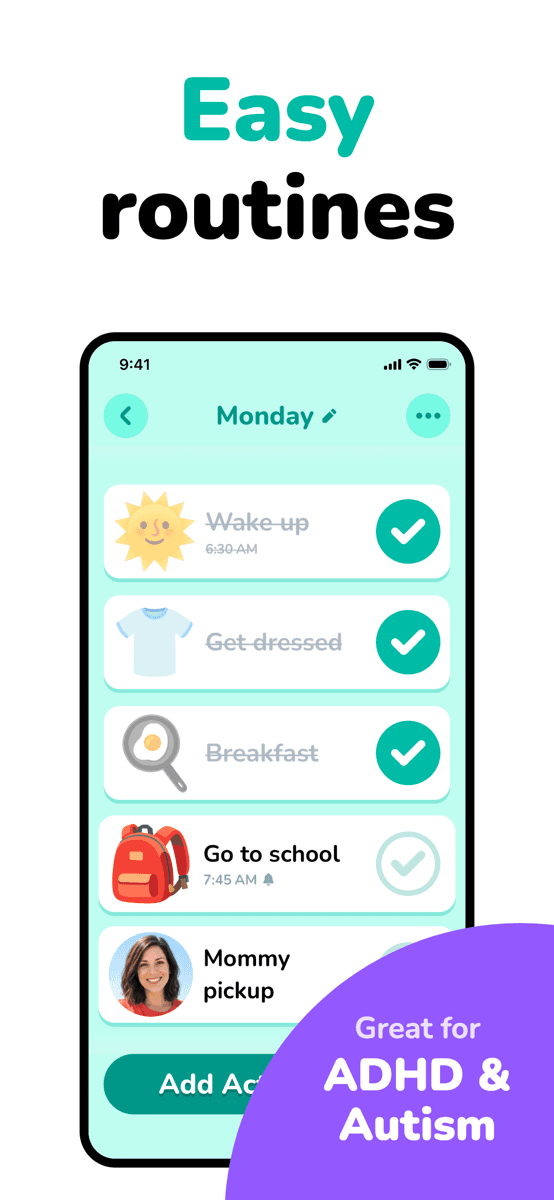
My son is just starting to get old enough to follow or understand the schedules, but the TIMER! It has been a live saver many, many times. ... I always have my phone on me so I don’t have to worry about carrying a timer with me when I need to have a visual one.
What users report as friction
The written App Store reviews are mostly positive, and the recurring complaints are about the paid upgrade and about how much the free version allows. One parent wrote that the free version supports "up to 7 schedules" and one device. Another longtime user said the app used to allow unlimited plans and now does not. A third described losing a day-specific schedule setting after an update and asked the developers where it went.
The developer answers these reviews directly. On one request to add a second child, the response reads: "UPDATE: you can add multiple kids now!" So the details of the free tier are worth checking on the current listing rather than trusting older reviews.
you can do up to 7 schedules for free. The free version also you can only use on one device.
None of this makes Lil Planner a bad choice. It means the reasons to look elsewhere are usually specific: the subscription, the number of profiles, the reward system, or the type of visual used for each step.
KidCue: the closest direct alternative
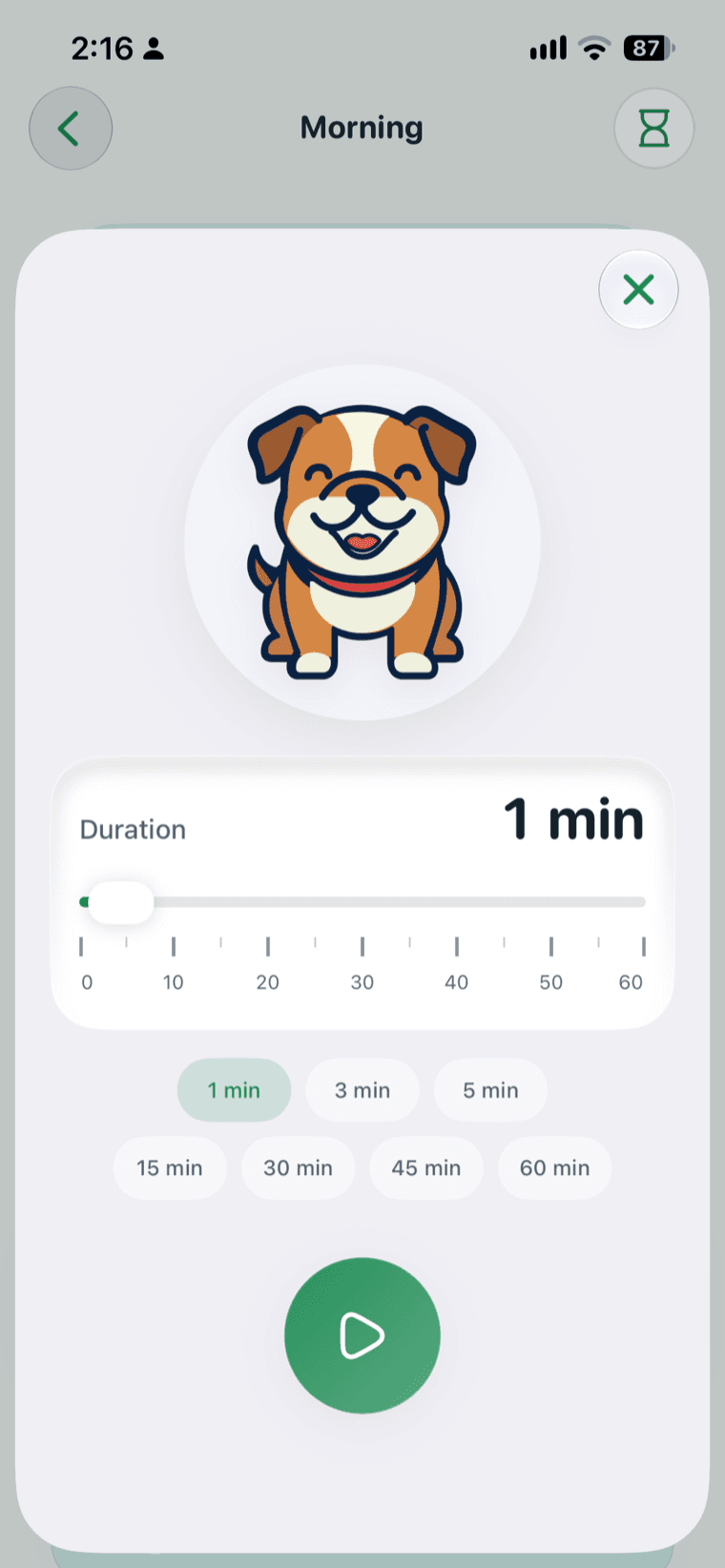
KidCue runs the same loop as Lil Planner. You build a routine, the child sees one step at a time, taps to check it off, and a visual timer shows how much time is left. The differences are in how steps are made and who drives the screen.
The App Store listing is titled "Kids Visual Schedule Planner," so search for KidCue or use the link below. The KidCue product page covers the setup flow.
Image steps are made from your child's actual objects
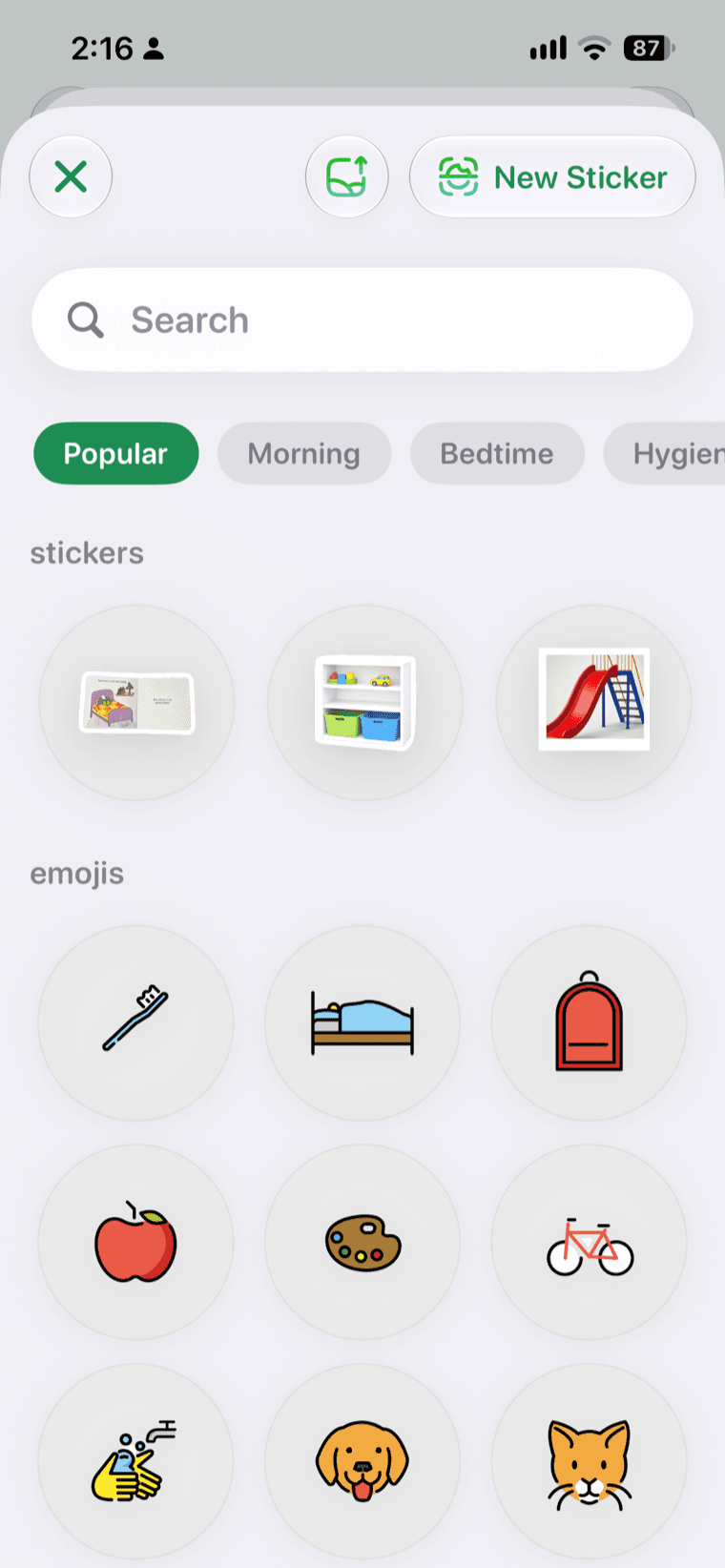
Lil Planner gives you a symbol and emoji library and lets you add photos from your camera roll. KidCue starts from the photo. You point the camera at the real toothbrush, the actual shoes by the door, the specific snack on the counter, and the app turns that photo into a sticker-style image for the step.
The company describes the process this way: "You capture real items — their toothbrush, their shoes, their snack — and KidCue turns them into cues the child immediately recognizes" (KidCue About).
This matters for children who cannot yet read and for children who do not map a generic icon onto the object in front of them. A drawing of a toothbrush is a symbol. A photo of the toothbrush in their own bathroom is a statement about what happens next. KidCue can also use emoji as cues, added in the October 2026 update, so the photo method is not the only option.
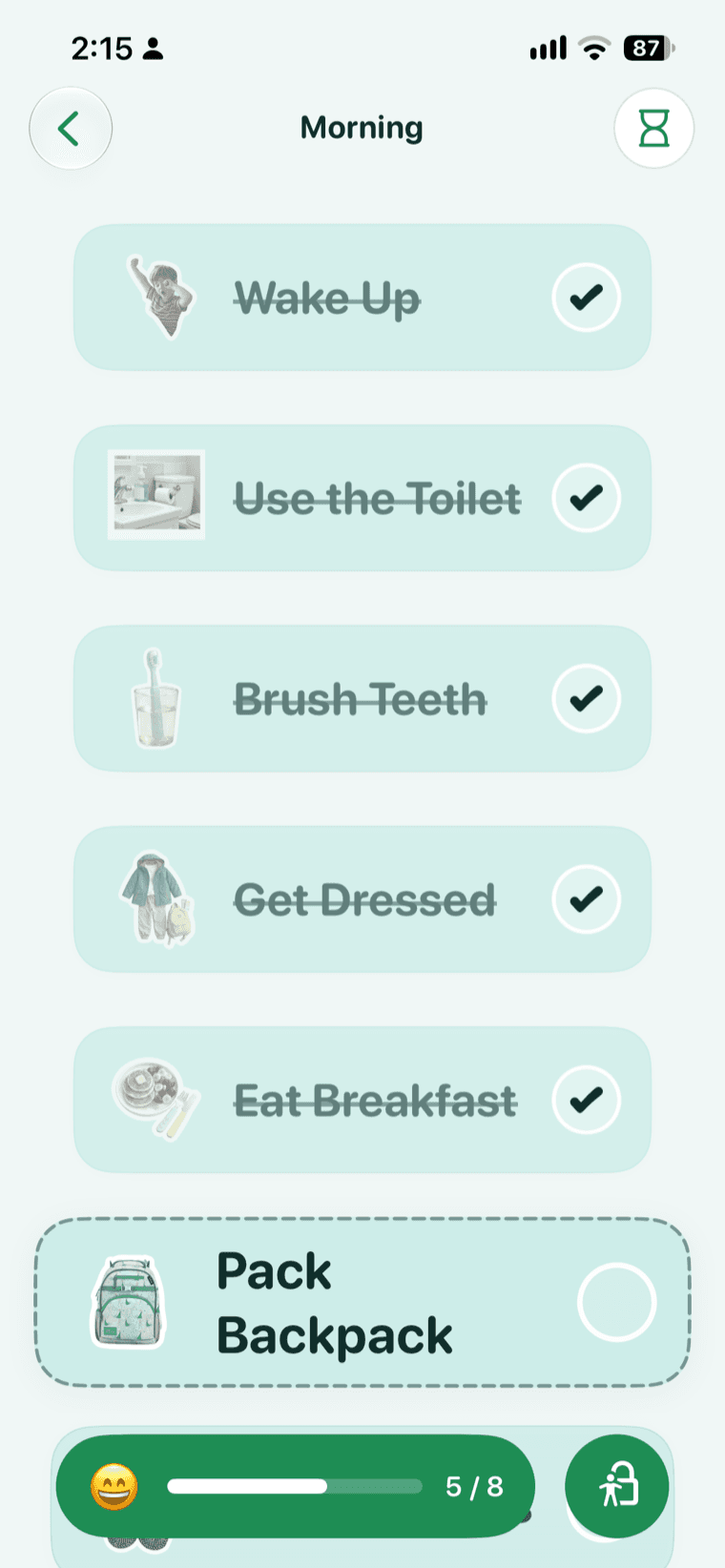
Kid Mode lets the child run the routine
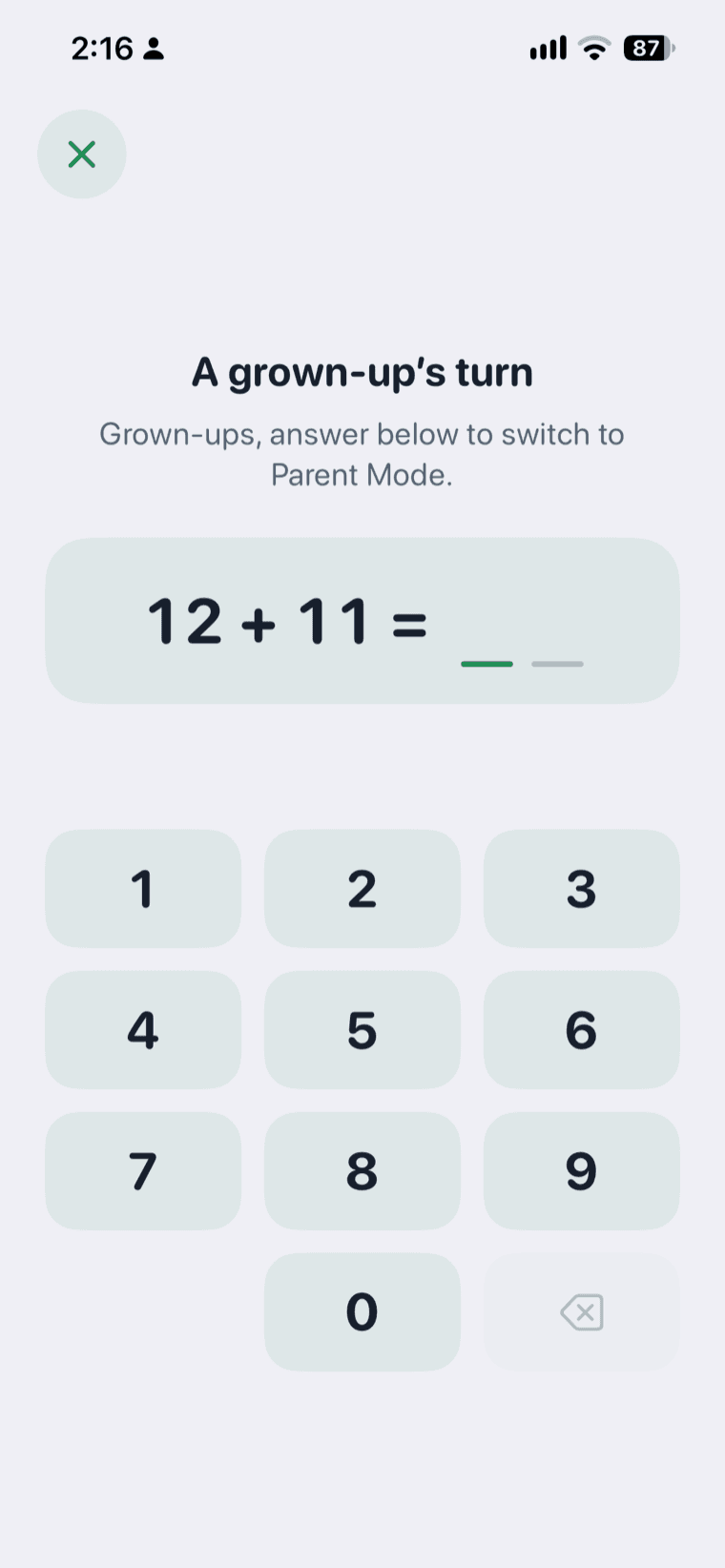
KidCue separates the parent's view from the child's. In Kid Mode, the child opens the routine, sees the current step, checks it off, and follows the timer. Editing is kept in parent mode behind parent verification.
The October 29, 2026 App Store update notes describe this in the version history: "Enter Kid Mode directly from the iPad sidebar," and "Parent verification now protects child switching and sticker management in iPad Kid Mode" (App Store version history).
The practical effect is that the routine stops being a script you perform. You set it up once and hand over the device. The child sees the photo of the next object, taps it, and the screen moves on, with the timer on the same screen. You are still nearby, but you are not the one holding the sequence.
The rest of the feature set
- First-Then routines for a single transition, in addition to full routines
- Visual timer during any step
- Reminders for the days and times a routine runs
- Check-off as each step is completed
- Up to 8 child profiles on the paid plan, with separate routines for each
- iCloud sync between iPhone and iPad
- Sticker export to print or share
- No ads, and no account required to start
- Offline use for routines, according to the KidCue site
The free tier is one child, three routines, and unlimited steps, with photos, stickers, and the visual timer included. Pro adds unlimited routines, the extra child profiles, iCloud sync, and image export. Current US pricing is $9.99 per month, $39.99 per year, or $129.99 for lifetime access.
Reviews and limits
KidCue's public review base is small. The App Store shows 4.6 from 15 ratings, with one written review, for an app released in January 2026. That is a thin sample compared with Lil Planner's 4,400 ratings, and you should read it as a new app rather than a proven one.
There is no Android version. The KidCue site lists iPhone and iPad only. The site also lists no social account; product updates appear in the App Store version history and on the KidCue blog.
What the listing does show is an active release cycle: family sharing arrived in June 2026, emoji cues and faster routine creation in October 2026, and Kid Mode access from the iPad sidebar in the latest build. For a family willing to try a newer app, that is a reasonable tradeoff. For a family that needs a large body of reviews before switching, it is a real reason to wait.
Choiceworks: symbol boards, one payment
Choiceworks has been on the App Store since 2011 and is built around three boards: a schedule board with a to-do and all-done column, a waiting board with a timer, and a feelings board. All three use customizable symbol cards.
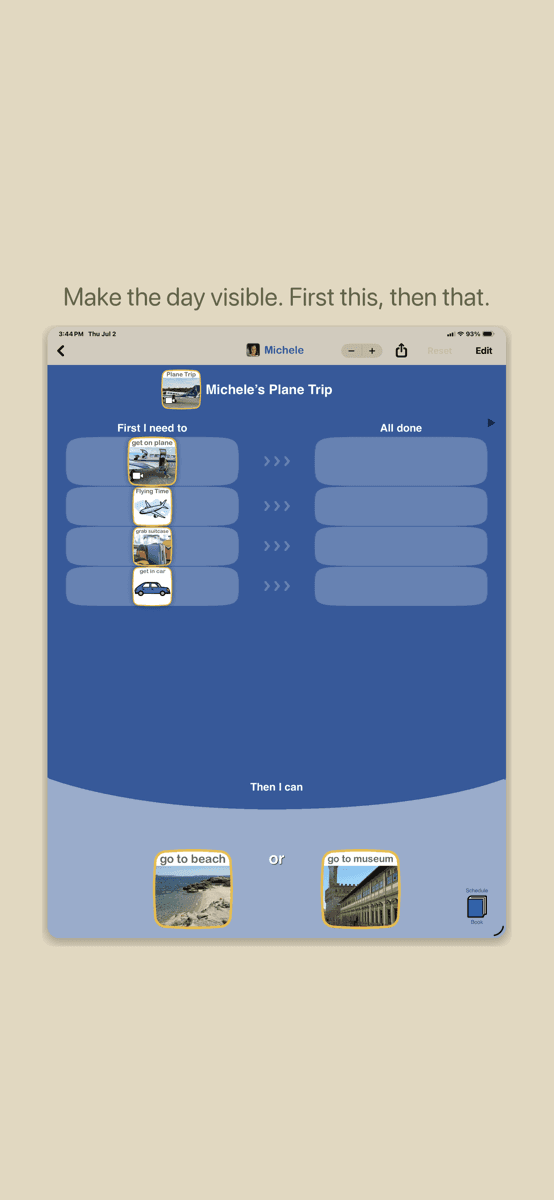
It costs $24.99 once, with no subscription, and holds 4.6 from 311 ratings in the US App Store (Choiceworks on the App Store).
Common Sense Media's review is a good summary of what works and what does not:
"The schedule board is the most successful: Kids see a task order, get satisfaction from moving tasks into the 'all done' column, and can enjoy reward activities upon completion."
The same review calls the three topics "disjointed" and says the app "oversimplifies complicated emotional situations" (Common Sense Media).
Choose Choiceworks if you want a one-time purchase, if a therapist or teacher already uses symbol boards with your child, or if you need the waiting and feelings boards. Choose something else if you want steps built from photos of your own objects, or if you need Android support, since Choiceworks is iOS only.
Joon: routines inside a game
Joon is the motivation-first option. Chores and routines become quests, and completed quests earn coins that care for a virtual pet. It is aimed at kids ages 6 to 12 and runs on iOS, Android, Amazon Fire tablets, and Chromebooks.
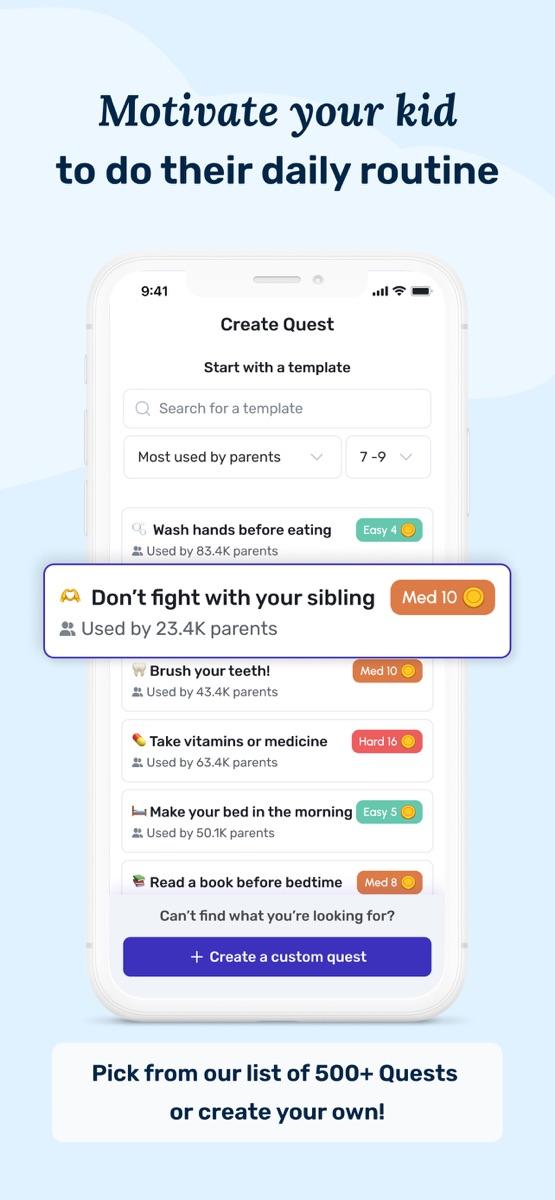
The app is free to download and holds 4.7 from 6,564 ratings in the US App Store (Joon on the App Store). Choosing Therapy's review lists the premium price at $12.99 per month or $89.99 per year with a seven-day trial, and reports that "many of the 1-star reviews were related to 'sticker shock'" and that some parents said their children grew bored with the app after a while (Choosing Therapy review).
Joon fits a different problem than KidCue. If your child understands the steps and will not do them, a reward layer can help. If your child does not understand what the steps are, adding a game does not fix the ambiguity.
How KidCue, Choiceworks, and Joon compare
KidCue
- Step images: your own photos, turned into stickers; emoji also supported
- Child runs it alone: yes, Kid Mode with parent verification on edits
- Timer: visual timer per step
- Free version: 1 child, 3 routines, unlimited steps
- Price: $9.99/month, $39.99/year, $129.99 lifetime
- Platforms: iPhone, iPad
Choiceworks
- Step images: customizable symbol library
- Child runs it alone: the child moves cards; the parent sets up boards
- Timer: waiting board timer
- Free version: none
- Price: $24.99 once
- Platforms: iPhone, iPad
Joon
- Step images: parent-defined quest list
- Child runs it alone: the child completes quests in the app
- Timer: not the focus
- Free version: yes, with limited features
- Price: $12.99/month or $89.99/year
- Platforms: iOS, Android, Amazon Fire, Chromebook
Moving a Lil Planner routine into KidCue
If you already have a routine that works in Lil Planner, you do not need to rebuild your thinking, only the visuals.
- Pick the routine that fails most often. One is enough to start.
- Walk through it with your phone and photograph each real object: the shoes, the backpack, the toothbrush, the cup.
- Put the steps in the order your child actually does them, and keep the list to five to seven steps.
- Add a timer only at the point where the routine usually breaks, such as the end of screen time.
- Turn on Kid Mode and hand over the device. Keep edits in parent mode.
- Run the same routine for a week before adding a second one.
Two things are worth watching in the first week. If your child skips steps, the list is probably too long. If your child ignores the timer, the step may need a clearer ending, such as "timer done, then shoes."
When to stay with Lil Planner
Lil Planner remains a reasonable choice if you need Android support today, if its reward system is what gets your child through the routine, or if the free tier already covers your family and you do not need more profiles.
The honest summary is that Lil Planner and KidCue solve the same problem with different defaults. Lil Planner defaults to cute symbols and rewards. KidCue defaults to photos of your own objects and a child-controlled screen. Choiceworks defaults to structured boards and a single payment. Joon defaults to a game.
Pick the default that matches the reason your current routine breaks.
KidCue is available on the App Store. The free tier includes one child, three routines, and unlimited steps.
Sources
- Lil Planner, US App Store listing and Google Play listing, checked November 10, 2026
- Lil Planner, written App Store reviews
- Amy Barry, BridgingApps, "BridgingApps Reviewed App | Lil Planner – Visual Schedule," May 12, 2025
- BridgingApps Team, "6 Must-Have Apps for a Fun, Easy, and Organized Summer with Your Child," Parenting Special Needs Magazine, May/June 2025
- KidCue, App Store listing and version history and kidcue.app
- Common Sense Media, "Choiceworks"
- Choosing Therapy, "Joon App Review 2026"
- App screenshots are from each app's public App Store listing and are used for identification only
Related Topic Hubs
If this post helped, these curated hub pages can guide your next steps.