
By KidCue Editorial Team8 min read
KidCue on iPad vs Goally Tablet: Which Fits Your Family?
A side-by-side look at KidCue on iPad and the Goally tablet, with current prices, features, review scores, and the family situations each one fits.
KidCue is an app that runs on an iPad. Goally is a separate tablet built for kids. Both show routines step by step, and both are sold to families raising children with ADHD, autism, or executive-function delays. They differ in what you buy, what the child holds, and what the device can do outside the routine.
Prices and ratings were checked on November 10, 2026. They change, so each section links to the page it came from.
Quick answer
- Choose KidCue on iPad if your family already has an iPad, you want steps built from photos of your own objects, and you prefer to pay once or yearly instead of buying hardware.
- Choose Goally if you want a separate, locked-down tablet for your child, and you also want built-in AAC, video lessons, learning apps, and a parent dashboard.
What KidCue on iPad is
KidCue is a visual schedule app for iPhone and iPad. The App Store listing is titled "Kids Visual Schedule Planner," and the app requires iPadOS 17.0 or later. It also runs on a Mac with an Apple M1 chip or later, which is useful if you want to set routines up on a computer.
The core loop is simple:
- You photograph a real object, such as the toothbrush in your bathroom or the shoes by the door.
- KidCue turns the photo into a sticker-style image for that step.
- You put the steps in order and add a timer where the transition usually breaks.
- The child runs the routine in Kid Mode and checks off each step.
The app includes First-Then routines, reminders for specific days and times, a visual timer, check-off, and a photo and sticker library. The paid plan adds unlimited routines, profiles for up to 8 children, iCloud sync between iPhone and iPad, and sticker export for printing or sharing.
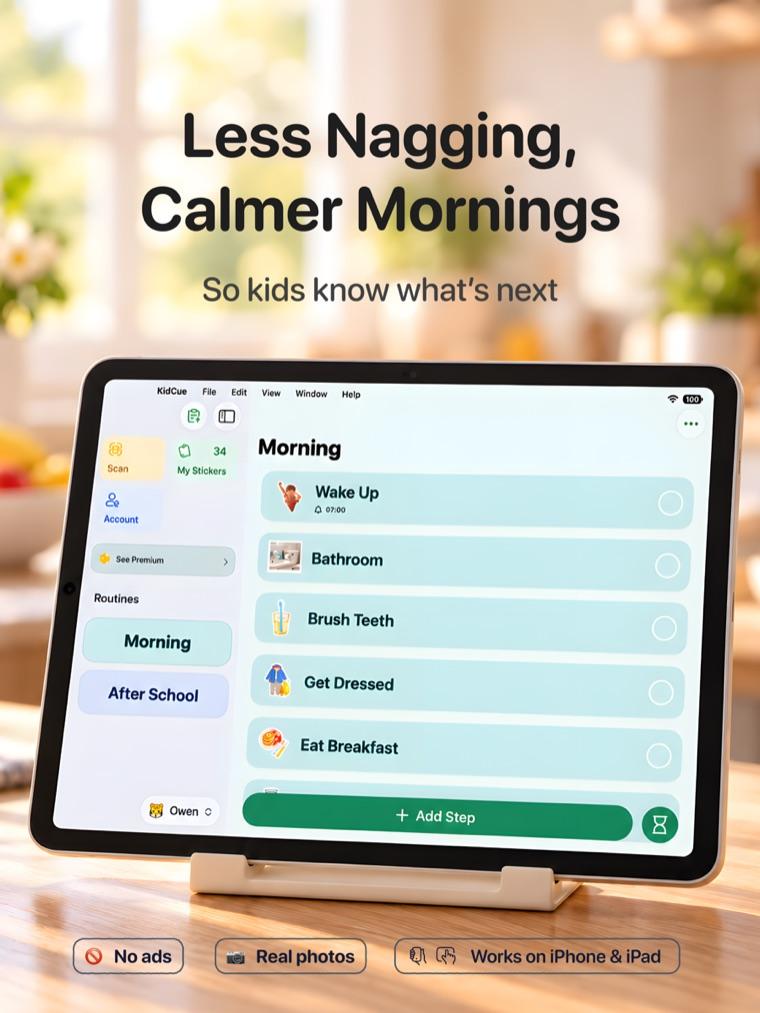
On iPad, routines sit in a sidebar, and Kid Mode can be opened from that sidebar. Edits stay behind parent verification, so handing over the iPad does not mean handing over the routine setup.
The free tier covers one child, three routines, and unlimited steps, including photos, stickers, and the visual timer. Pro costs $9.99 per month, $39.99 per year, or $129.99 for lifetime access. There are no ads, and no account is required to start.
What the Goally tablet is
Goally is a dedicated kids tablet plus a parent app. The child uses the tablet; the parent sets up routines from a phone.
Goally's current pricing page lists an 8-inch tablet at $295 and a 10-inch tablet at $395. Goally apps are included for six months, then cost $6 per month. The package includes a foam case and kickstand, free shipping in the United States, a 90-day damage replacement, and a free coaching call.
What the tablet includes, according to Goally:
- Visual routines and checklists, set up from the parent app
- A token and reward system
- An AAC talker app and word-learning app
- 20+ learning apps, including Khan Academy and PBS Kids
- 100+ short video classes on life skills
- Progress reports and notes for parents
- Google Calendar sync
- PIN-protected settings
- No web browser, YouTube, social media, or ads
Goally's pricing page describes the product for ages 2 to 8, while a third-party review describes it for roughly ages 6 to 13. Check the current listing if age fit matters for your child.
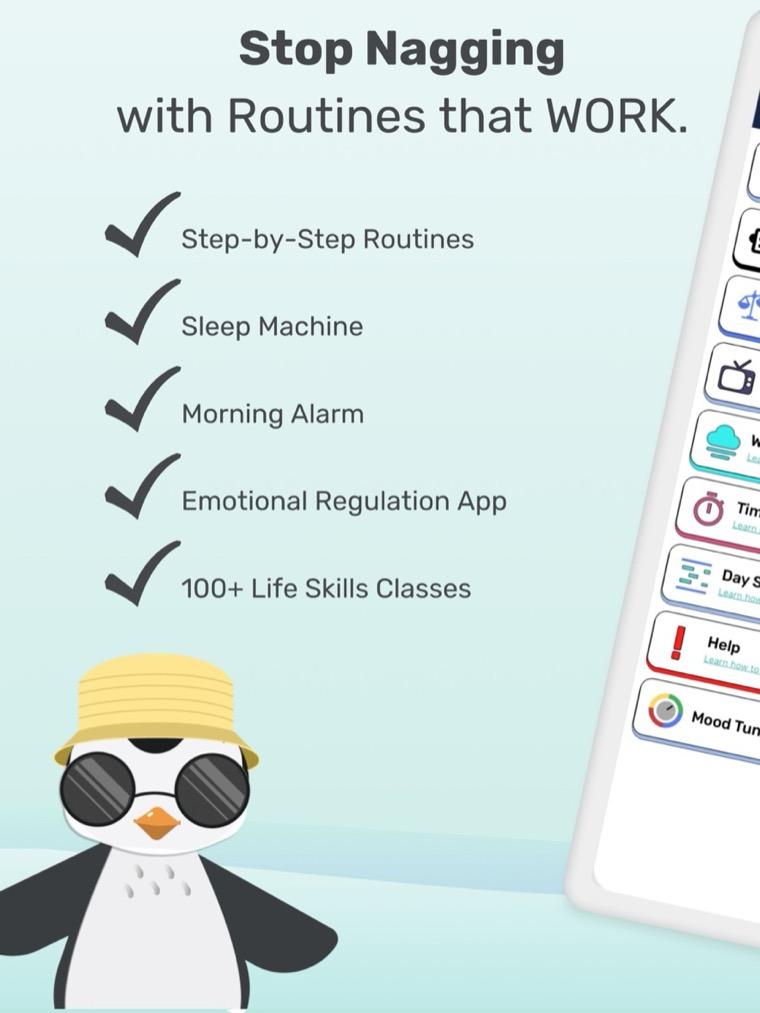
One limitation is worth stating plainly: Goally's FAQ says you cannot get full Goally functionality by downloading it as an app on your own device. The tablet is the product.
Cost over one and three years
The table below uses each company's current US pricing. It does not include tax, and it assumes one child. Goally's totals are approximate because the monthly fee starts in month seven.
| Option | Upfront | Ongoing | 1 year | 3 years |
|---|---|---|---|---|
| KidCue free | $0 | $0 | $0 | $0 |
| KidCue Pro yearly | $0 | $39.99/yr | $39.99 | $119.97 |
| KidCue Pro lifetime | $129.99 | $0 | $129.99 | $129.99 |
| Goally 8-inch | $295 | $6/mo from mo. 7 | $331 | $475 |
| Goally 10-inch | $395 | $6/mo from mo. 7 | $431 | $575 |
Two caveats. Goally's monthly price has changed over time, and older reviews cite $15 to $20 per month, so confirm the total at checkout. KidCue's yearly plan renews unless you cancel, and the lifetime option is a one-time purchase.
If you already own an iPad and only need routine support, KidCue is the cheaper path by a wide margin. If you need a separate device for other reasons, the device cost belongs to that decision, not only to the routine.
How the routine experience differs
Both tools assume a parent sets up the routine and a child follows it. The difference is what the child holds and what else is on the screen.
KidCue on iPad
- The step images come from photos you take, so a step can show your child's actual coat, cup, or classroom door.
- Kid Mode is a child-facing view. Parent verification protects switching children and managing stickers.
- The timer is built into the routine, so the ending is visible on the same screen as the step.
- Routines can be printed and run offline, according to the KidCue site.
- The iPad remains a general-purpose device. KidCue does not turn it into a closed system.
Goally tablet
- The tablet is dedicated to Goally's apps. There is no browser, no YouTube, and no app store to wander into.
- Routines are built in the parent app on your phone, which suits parents who want to adjust the day without taking the tablet back.
- The same device also carries AAC, video lessons, learning apps, and games, which is useful if you are replacing several tools at once.
- Rewards and progress reports are part of the system, so motivation and tracking live in the same place.
- Some Goally apps require an active Wi-Fi connection, according to the FAQ. The routine app is the core, but the wider bundle is not fully offline.
The practical difference: KidCue is a routine layer on a device you already own. Goally is a closed device that includes routines among other tools.
What reviewers and stores say
KidCue holds 4.6 from 15 ratings in the US App Store. The app was released in January 2026, so the review base is small and should be read as early signal, not a proven track record.
The Goally parent app holds 4.2 from 283 ratings in the US App Store. Goally's own site displays a 4.9 out of 5 rating, which comes from its own review page rather than the App Store.
NeuroLaunch's review of Goally is a useful independent summary:
"Its distraction-free hardware wins near-universal praise, but reviewers flag a buggy parent app and steep combined cost, which makes it a clear fit for families who will actively run it, less so for anyone wanting a plug-and-play motivator."
BridgingApps reviewed the Goally apps in 2023 and described the setup this way:
"To get your family started on Goally, all you need is its special kid's tablet and a Parent App download to your own device."
For KidCue, the most concrete evidence is the App Store listing itself: the free tier, the Pro features, and the version history, which shows Kid Mode, family sharing, and reminders arriving through 2026.
Which one fits your situation
KidCue on iPad fits when:
- You already own an iPad that can run iPadOS 17 or later.
- Your child responds to photos of real objects more than to generic icons.
- You want the child to run the routine without you narrating each step.
- You have more than one child and do not want to buy a second device.
- You want to print steps for school, grandparents, or a babysitter.
- You would rather not add another screen to the house.
Goally fits when:
- You want a separate device that is not your iPad.
- You also need AAC, video lessons, learning apps, or a reward system in the same place.
- You want a parent app that can adjust routines and see progress reports remotely.
- You are comfortable with a device plus subscription purchase.
- You want the 90-day damage replacement and the closed app environment.
Neither option replaces therapy, diagnosis, or professional support. Both are scaffolding for the day.
Setting up KidCue on iPad
- Confirm the iPad runs iPadOS 17 or later.
- Install KidCue and start with the free tier.
- Build one routine, using photos of the actual objects your child uses.
- Add a timer only at the point where the routine usually breaks down.
- Open Kid Mode from the iPad sidebar and hand over the device.
- Keep edits in parent mode behind parent verification.
- Run the same routine for a week before adding another.
If the iPad is also a play device, decide in advance when it becomes the routine device. Kid Mode keeps the child inside the routine, but the handoff still needs a rule your family agrees on.
What to check before you buy
- KidCue: current Pro price, which features sit behind the paywall, and whether your iPad model supports iPadOS 17.
- Goally: the current device price, what the $6 per month covers after the first six months, whether a subscription is required, and which apps need Wi-Fi.
- Both: return windows and how each company handles a broken device. Goally includes 90-day damage protection; KidCue runs on hardware you already own.
KidCue is available on the App Store for iPhone and iPad. The free tier includes one child, three routines, and unlimited steps. The KidCue product page covers the setup flow.
Sources
- KidCue, App Store listing and kidcue.app, checked November 10, 2026
- Goally, pricing page and FAQ, checked November 10, 2026
- Goally, parent app on the App Store
- NeuroLaunch, "Goally Review: Tablet & Subscription Pricing", August 2026
- BridgingApps, "Goally: Apps Anyone Can Learn", May 2023
- App screenshots are from each app's public App Store listing and are used for identification only
Related Topic Hubs
If this post helped, these curated hub pages can guide your next steps.